
iPhone / iPad
Comparison guide
Mileage Tracker Pro vs MileIQ
A practical comparison for business drivers who care about mileage, fuel, expenses, receipts, and exportable reports.


Track unlimited trips for free. No credit card. iOS and Android.
Setup in ~2 minutesManual + automatic tracking
Prefer desktop reporting? See the web dashboard.Quick angle
MileIQ is a well-known mileage tracking app. Mileage Tracker Pro is a newer alternative focused on simple trip tracking, expense records, receipts, fuel logs, and practical reports for business drivers.
Mileage Tracker Pro
Simple mileage, fuel, receipts, expenses, and reports.
MileIQ
Compare current plans and fit before switching.
★★★★★ App Store feedback liveRated by early driversBuilt in Canada 🇨🇦Secure sync with Supabase encryption
On desktop? Scan to install.
Open your phone camera, scan, and install directly from the store.
Android
Feature comparison
Compare the workflow, not only the brand name.
Product details can change. This page is written as a practical decision guide: confirm current MileIQ plan details, then compare the workflow against what Mileage Tracker Pro is built to do.
Category
MileIQ
Mileage Tracker Pro
Trip tracking
Review MileIQ's current tracking workflow, plan limits, and supported platforms before deciding.
Track unlimited trips for free with a workflow built for business and personal mileage records.
Expense tracking
If expenses are important, confirm how MileIQ handles expense categories in the plan you are considering.
Log fuel, parking, tolls, meals, maintenance, and other work-related expenses alongside mileage.
Receipt records
Check whether your current MileIQ plan covers the receipt workflow you need.
Keep receipt records with expenses. Premium adds AI receipt scanning to reduce manual entry.
Fuel logs
Compare whether fuel logging is covered in your preferred workflow.
Track fuel expenses as part of the same mileage and expense record.
PDF and CSV reports
Confirm current export formats and plan availability before switching.
Export clean PDF and CSV reports for records, reimbursement, tax preparation, or accounting review.
Free trip tracking
Check current free-tier limits and plan details directly before deciding.
Start with unlimited trip tracking for free, then upgrade only when Premium tools save time.
Trip tracking
MileIQ
Review MileIQ's current tracking workflow, plan limits, and supported platforms before deciding.
Mileage Tracker Pro
Track unlimited trips for free with a workflow built for business and personal mileage records.
Expense tracking
MileIQ
If expenses are important, confirm how MileIQ handles expense categories in the plan you are considering.
Mileage Tracker Pro
Log fuel, parking, tolls, meals, maintenance, and other work-related expenses alongside mileage.
Receipt records
MileIQ
Check whether your current MileIQ plan covers the receipt workflow you need.
Mileage Tracker Pro
Keep receipt records with expenses. Premium adds AI receipt scanning to reduce manual entry.
Fuel logs
MileIQ
Compare whether fuel logging is covered in your preferred workflow.
Mileage Tracker Pro
Track fuel expenses as part of the same mileage and expense record.
PDF and CSV reports
MileIQ
Confirm current export formats and plan availability before switching.
Mileage Tracker Pro
Export clean PDF and CSV reports for records, reimbursement, tax preparation, or accounting review.
Free trip tracking
MileIQ
Check current free-tier limits and plan details directly before deciding.
Mileage Tracker Pro
Start with unlimited trip tracking for free, then upgrade only when Premium tools save time.
Best fit
Mileage Tracker Pro may be a strong fit if...
You want mileage and expenses together
Mileage Tracker Pro keeps trips, fuel, expenses, receipts, and reports in one practical workflow.
You want to start free
Unlimited trip tracking is available in the free experience, so you can test the core workflow first.
You need simple exportable records
Premium supports PDF and CSV reports for records, reimbursement, tax preparation, or accounting review.
Keep comparing
You should still compare carefully if...
Your team already depends on MileIQ
If your business already has a working MileIQ process, compare switching costs before moving records.
You need a specific enterprise workflow
Confirm admin, team, billing, and compliance requirements directly with each product before choosing.
You only need one narrow mileage feature
If you do not need expenses, receipts, fuel logs, or exports, compare the simplest plan that covers your exact need.
Proof inside Mileage Tracker Pro
Real app screens showing route records, expense capture, receipt organization, reports, and monthly review.
Section 1
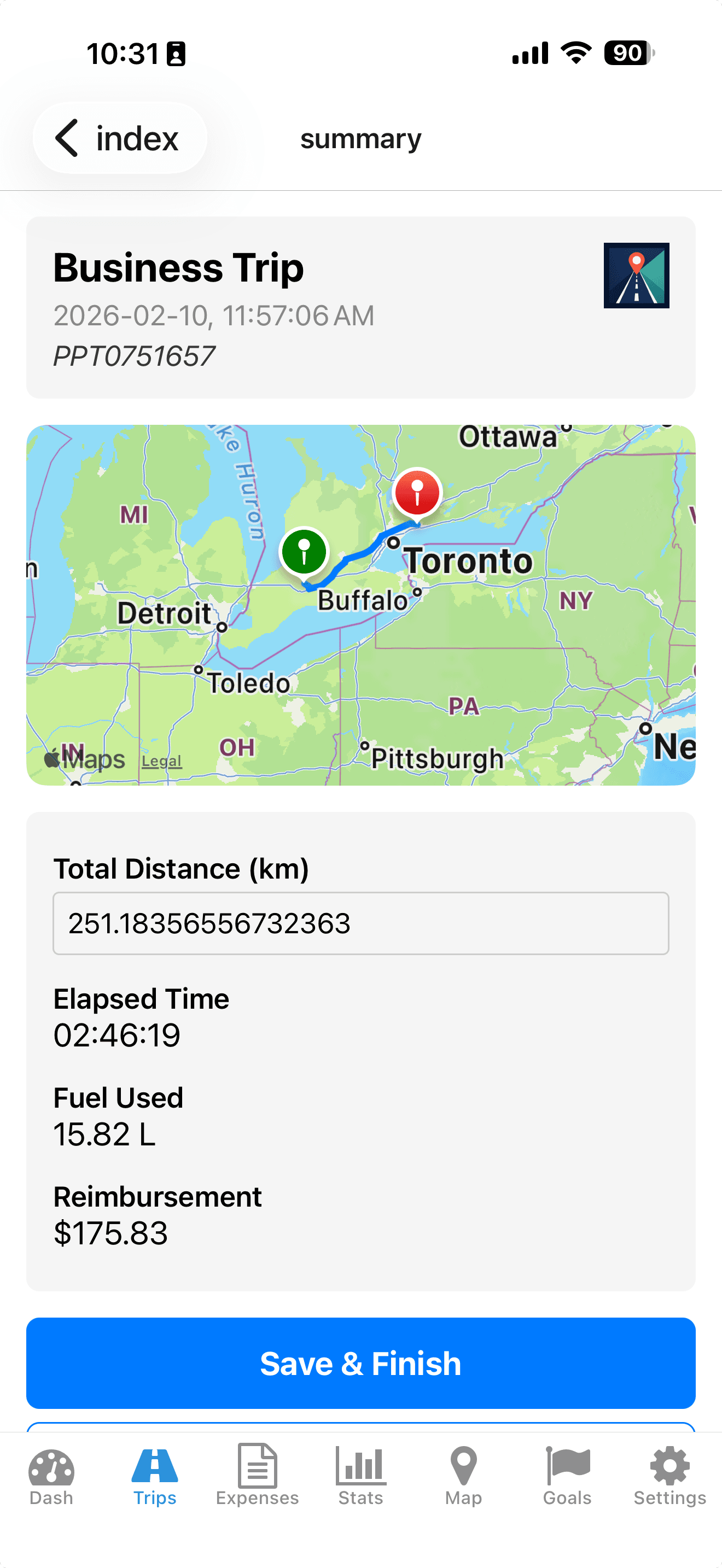
Track Every Trip Automatically
Automatic GPS tracking with precise route calculation.
See exact routes, distance, elapsed time, fuel used, and reimbursement in one view.
Section 2
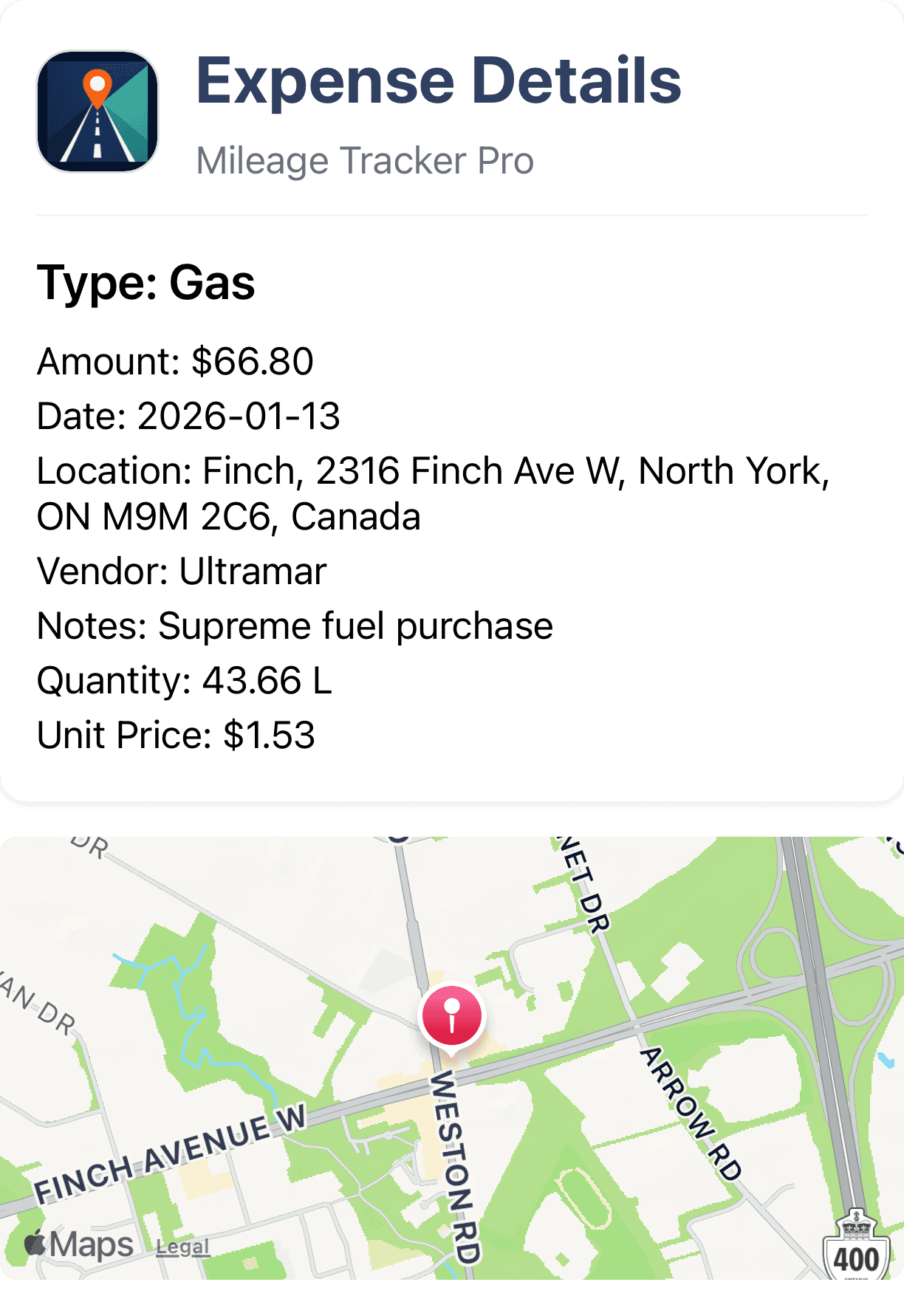
Log Expenses in Seconds
Capture expense details and attach location context immediately.
Track vendor, amount, quantity, and notes with a clear record tied to your trip history.
Section 3
Keep Records Ready for Review
Filter and export clean records for accounting and tax preparation.
Premium supports CSV and PDF exports so your accountant gets organized data without cleanup.
View sample PDF export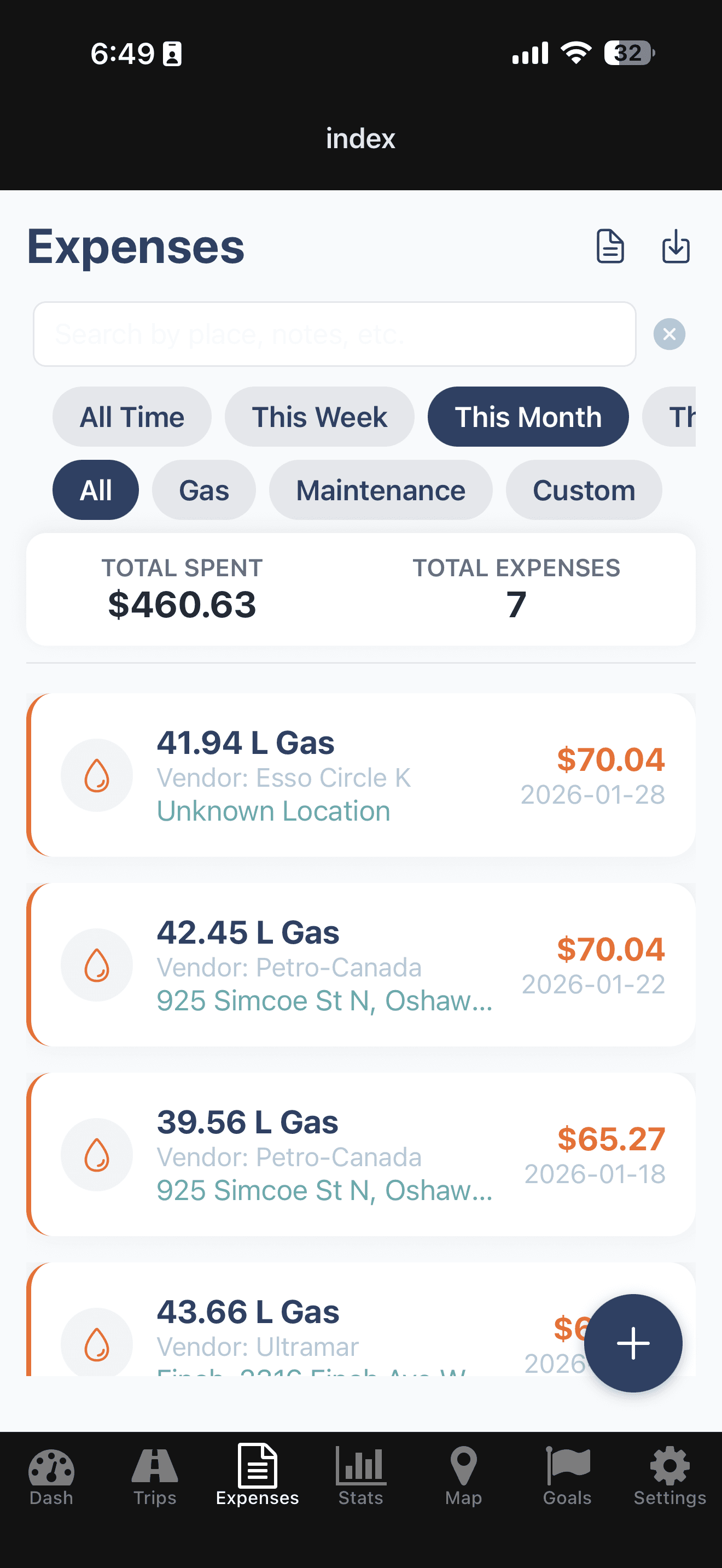
Section 4
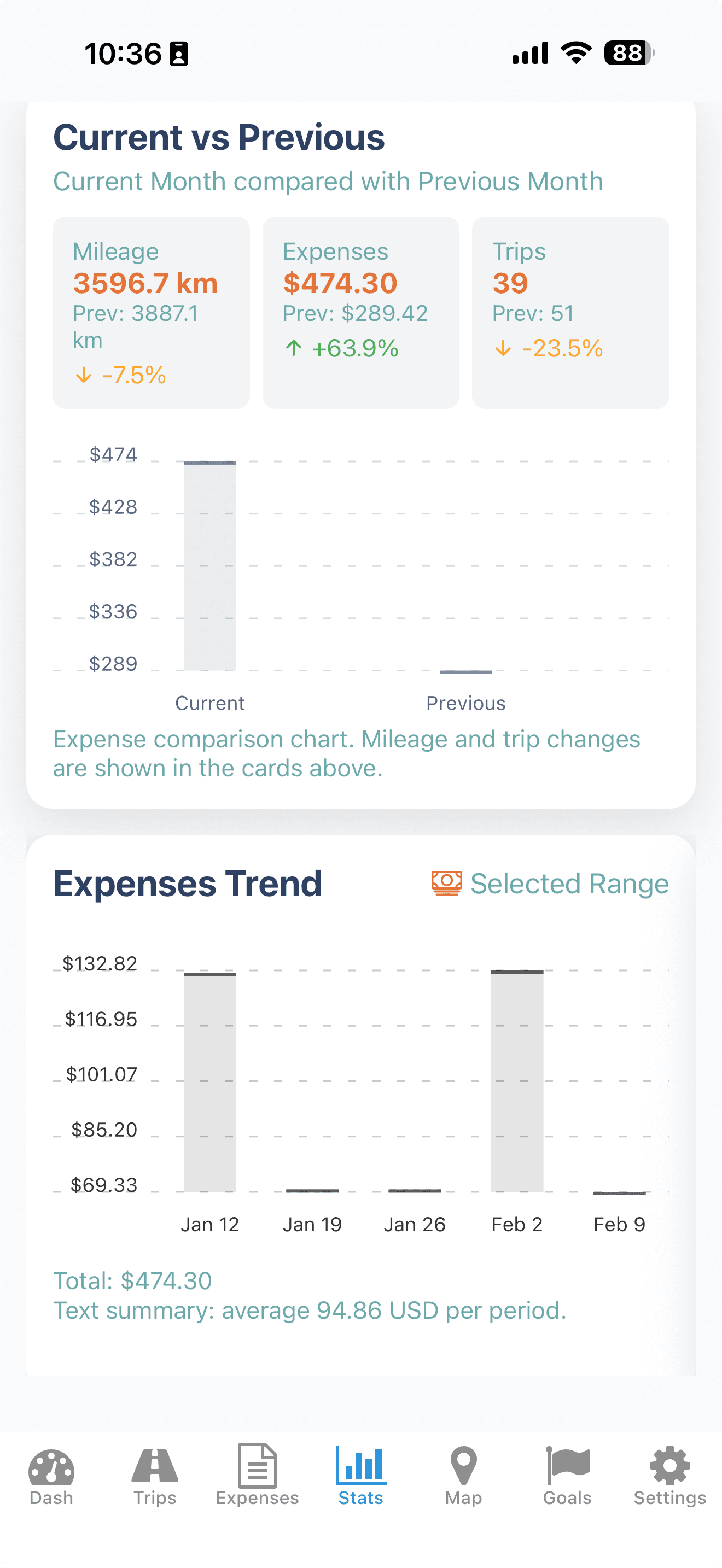
Understand Your Numbers
See clear monthly comparisons and trend data.
Review mileage, trips, and expenses side-by-side to spot cost changes quickly.
FAQ
Is this page saying MileIQ is bad?
No. MileIQ is a well-known mileage tracking app. This page is meant to help drivers compare workflows fairly.
What makes Mileage Tracker Pro different?
Mileage Tracker Pro focuses on simple mileage tracking, expense records, fuel logs, receipts, and practical PDF and CSV reports.
Can I try Mileage Tracker Pro for free?
Yes. Mileage Tracker Pro offers unlimited trip tracking for free.
More pages
Explore Mileage Tracker Pro by use case
Try Mileage Tracker Pro before you decide.
Start with unlimited trip tracking for free, then upgrade only when receipt scanning, PDF exports, CSV exports, and advanced reporting save you time.
Purchases are handled securely by Apple or Google. Cancel anytime.
Ready to install?
Open the right store automatically for your device.